
INSPECTIONS & FOLLOW-UP
Record what you find. Keep the next step connected.
An inspection is useful long after the field visit. LocalWorkOps helps municipal teams record the condition of streets and assets, keep notes and photographs with the findings, and connect identified defects to follow-up work.
Start with the place or asset being checked.
Choose the relevant target and inspection type. Record the assessment, complete the configured fields, and add the notes that explain what you found.
Inspection types can include condition ratings and fields such as yes/no responses, checkboxes, short text, and numbers. Your organization can define the information needed for its inspection process.
Keep the finding and the evidence together.
Add photographs to an inspection or a recorded defect. Capture the description, category, and severity of a defect so the next person has more than a brief reminder to investigate.
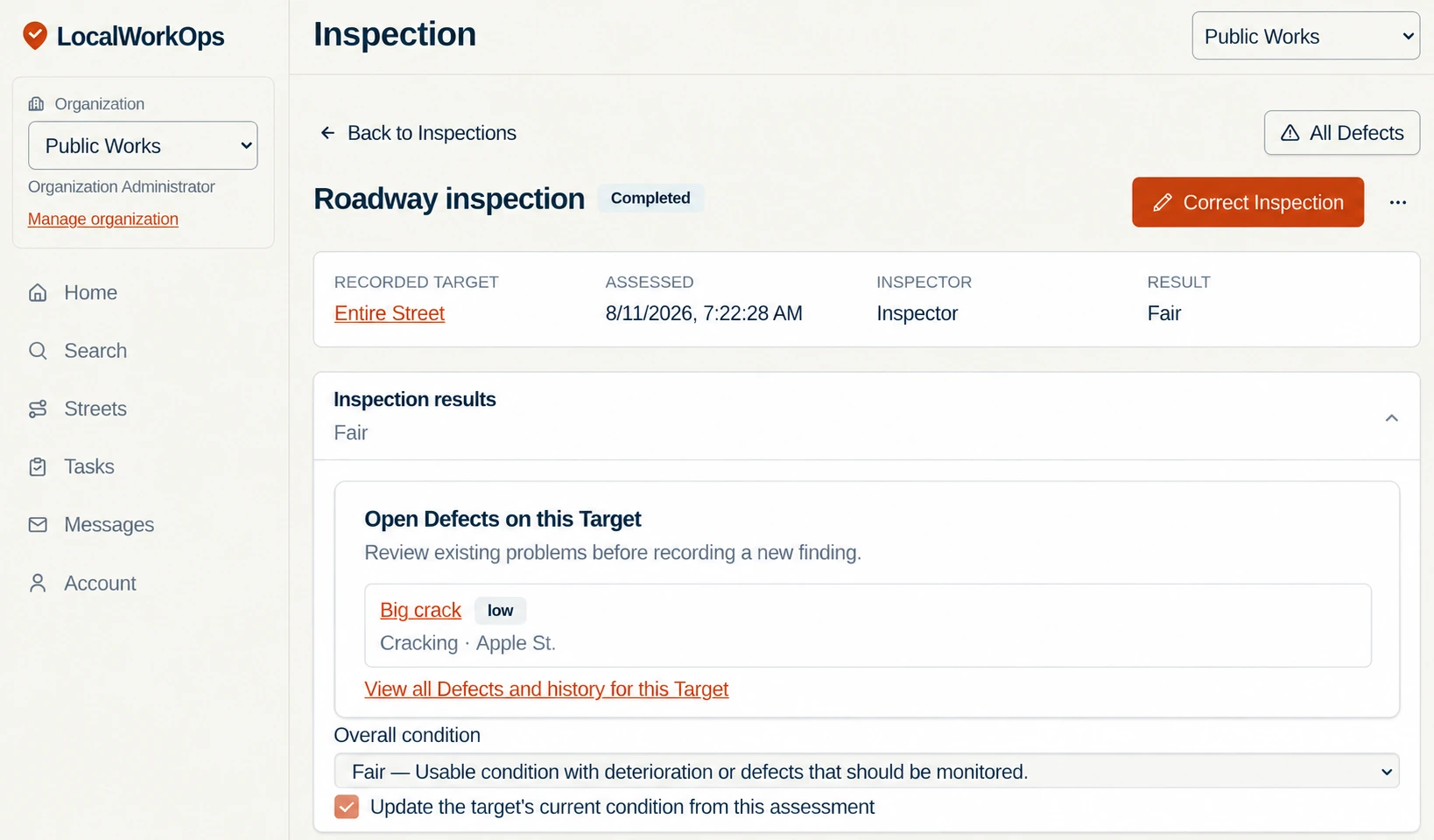
The inspection keeps the findings tied to their original context. A condition rating, a note, and a photograph can each contribute a different part of the record.
Scroll across the app preview to see the full screen.
Give follow-up work a clear connection.
When a finding needs attention, create a follow-up Task from the recorded defect. Set responsibility and a due date while keeping the task linked to the finding.
Review the defect’s status as the response progresses. Corrective Tasks and Work can remain connected to the defect, helping the team follow the relationship between what was found and what was done.
Put repeat checks on a schedule.
Schedule recurring inspections for the checks your team performs regularly. Choose the inspection type, the targets, and a repeat pattern.
Each inspection records its own outcome. That lets your team look back at previous observations while continuing the routine checks ahead.
A few practical questions.
Can we choose what an inspection records?
Yes. Your organization can configure inspection types, applicable targets, rating scales, form fields, and defect categories.
Can we review previous inspections?
Yes. Inspection history lets you return to earlier records and review their dates, results, notes, and supporting evidence.
Can inspections be completed without an internet connection?
An internet connection is required. LocalWorkOps runs in a web browser.
Turn a field visit into a useful record.
Tell us what your team inspects, how often you check it, and how you arrange follow-up work.
Talk about your team